A web player for immersive 3D tours, combining 360 degree photo navigation and 3D model
streaming.
This player is a competitor to Matterport and similar platforms, but built by a small team
of three talented engineers. While our 3D model is simplier than Matterport's, it offers
more features (mult-user viewing, 3D video-conferencing, editable floor plans) than most
other competitors in the space.
1. Product Overview
Here is an example of the final product. Please note that the player is now branded
Trivaxis as
Urbanimmersive no longer exists.
Open this page in a second browser (or another tab)
and look at the minimap. You should see two avatars moving around in real-time as you
navigate the tour. This is a unique feature of our player that allows multiple users to
explore the same tour together and see each other's presence and interactions.
Sadly I can't share it in edition mode where many of the tools I worked on are visible:
it requires a login which connect to the production server. However, here is an
accelerated video of an experienced modeler creating the 3D and 2D models of a tour
using an earlier version of the player tools:
2. Video conferencing challenges
While the twilio video api was easy to integrate, we had to solve many challenges to
make it work in a 3D environment. We needed a server to manage the video rooms and user
connections, and we had to work arround Apple Safari limitations and distinct behavior.
In this video you can see me working with two computers after fixing connection issues:
I close the internet connection on one computer and reconnect it to simulate
interruptions that do occur, mostly on wifi and cellular networks. (Language is in
french but you can still understand the process and results by watching the video).
I worked with 3 computers and two cell phones to make sure the video conferencing
feature was working well in different scenarios. My PC tower had two webcams connected,
I also had a PC laptop, an old Mac Laptop, an android phone and an iPhone.
3. Extra floor plan tools
Another strength of our player is the ability to create and modify floor plans. I did
the following video for a client of ours in the insurance industry that wanted to add
custom polygons to the floor plan to visualize the areas of a building that was affected
by some damage. Video is in english (I'm not the best english speaker but I think you
will understand me). You can see that, not only I added editable SVG polygons to the
floor plan, but I also added a movable but attached lablel for a title and one for the
area ofthe polygon. Since a page can contain many floors at distinct scales, the surface
area is calculated in real-time based on the current floor scale and the polygon size.
This is a good example of the kind of innovative features that I implemented in the
player to solve real-world problems and provide value to our clients.
4. 3D Tags
I created the 3D Tags system. It uses Threejs CSS3DRenderer to create HTML elements that
are attached to specific 3D coordinates in the tour. This allows us to create
interactive labels, buttons, images, videos and even iframe elements that are seamlessly
integrated into the 3D environment. Since they are not webgl elements but regular HTML
elements, we can use all the power of CSS and JavaScript to create dynamic and engaging
interactions. The downside is that they must be occuluded manually by raycasting, which
is not perfect but works well enough in most cases.
I found that the best way to position a 3D tag was to put it where the mouse is in the
model as it already follows the floor and the walls. So a new tag is created at the
mouse position when the user hits a keyboard shortcut. This made it very intuitive for
users to place tags exactly where they wanted in the tour. This video shows me abusing
it to make sure it work well (and impress colleagues and clients).
5. Simulating multi-user mode with bots
I needed to make sure the multi-user mode was working well and that users could see each
other's presence and interactions in real-time. To do this, I created a simple bot that
simulates a user navigating the tour and interacting with the floor plan. To create a
bot I only needed to type "ui3dbot" in the chat panel. For a long time it stayed as an
easter egg in the player.
You can already see that the bot (or multi-user avatar) is simply a 3D Tag. Since our
tags are html elements, I can put anything in them, including a video element for video
conferencing.
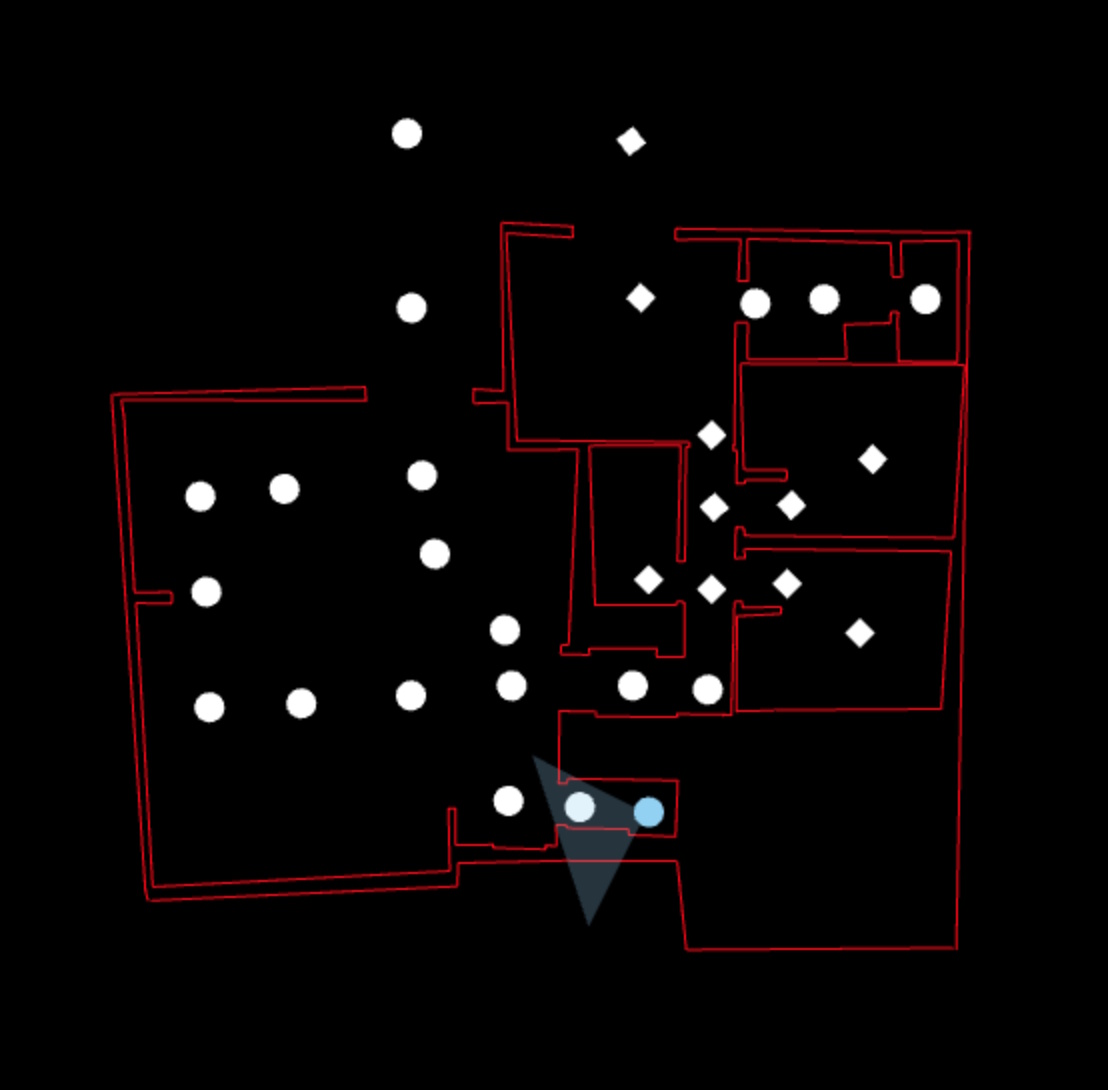
6. A floor plan story
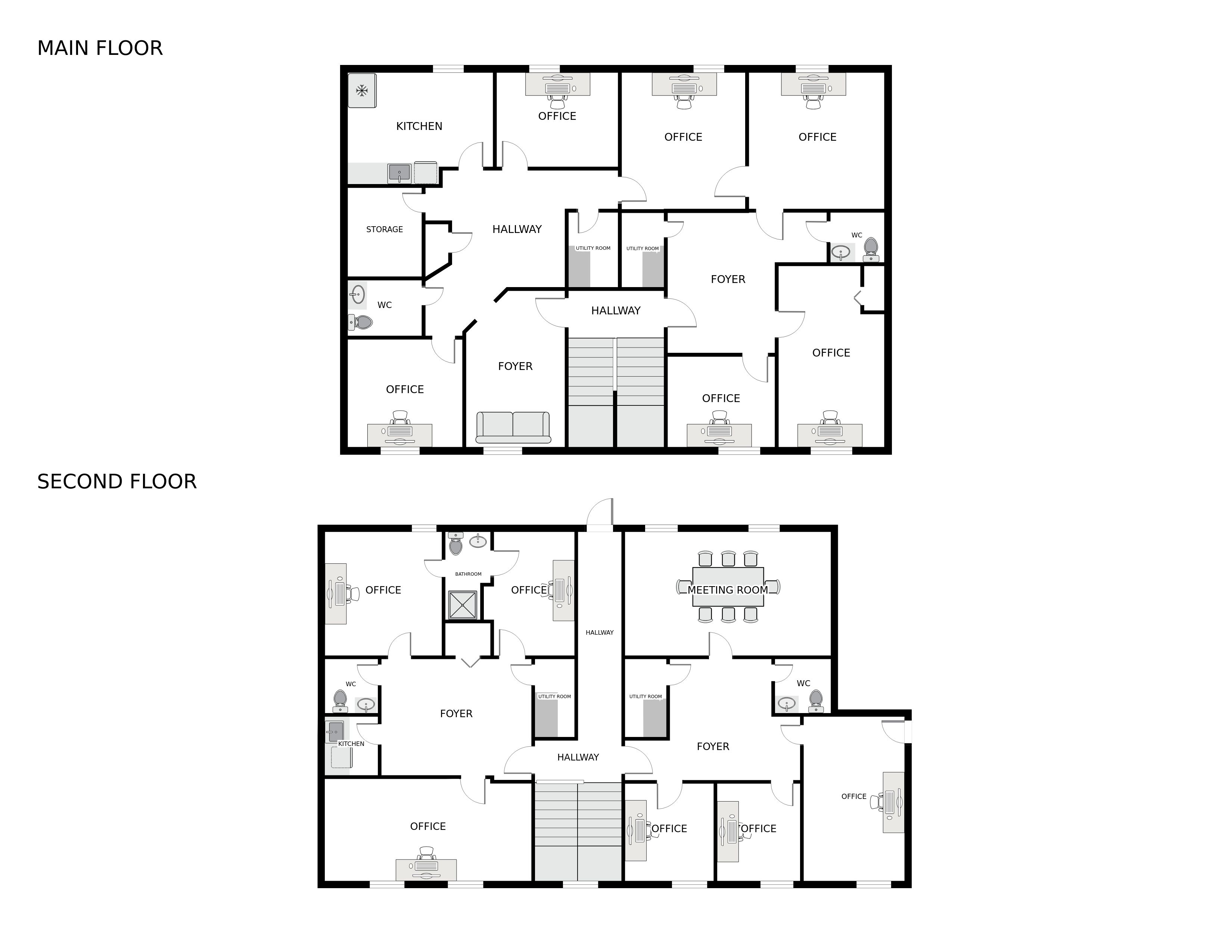
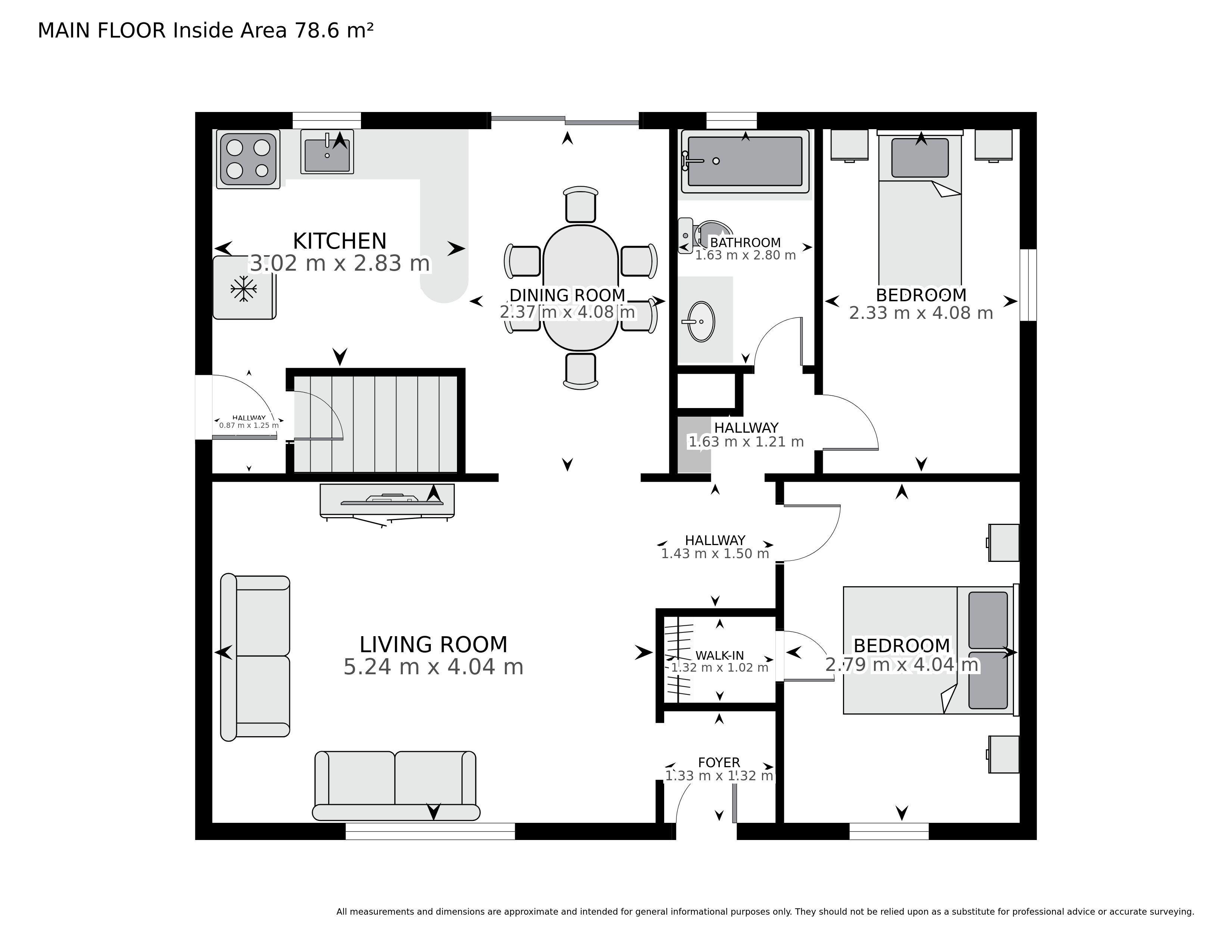
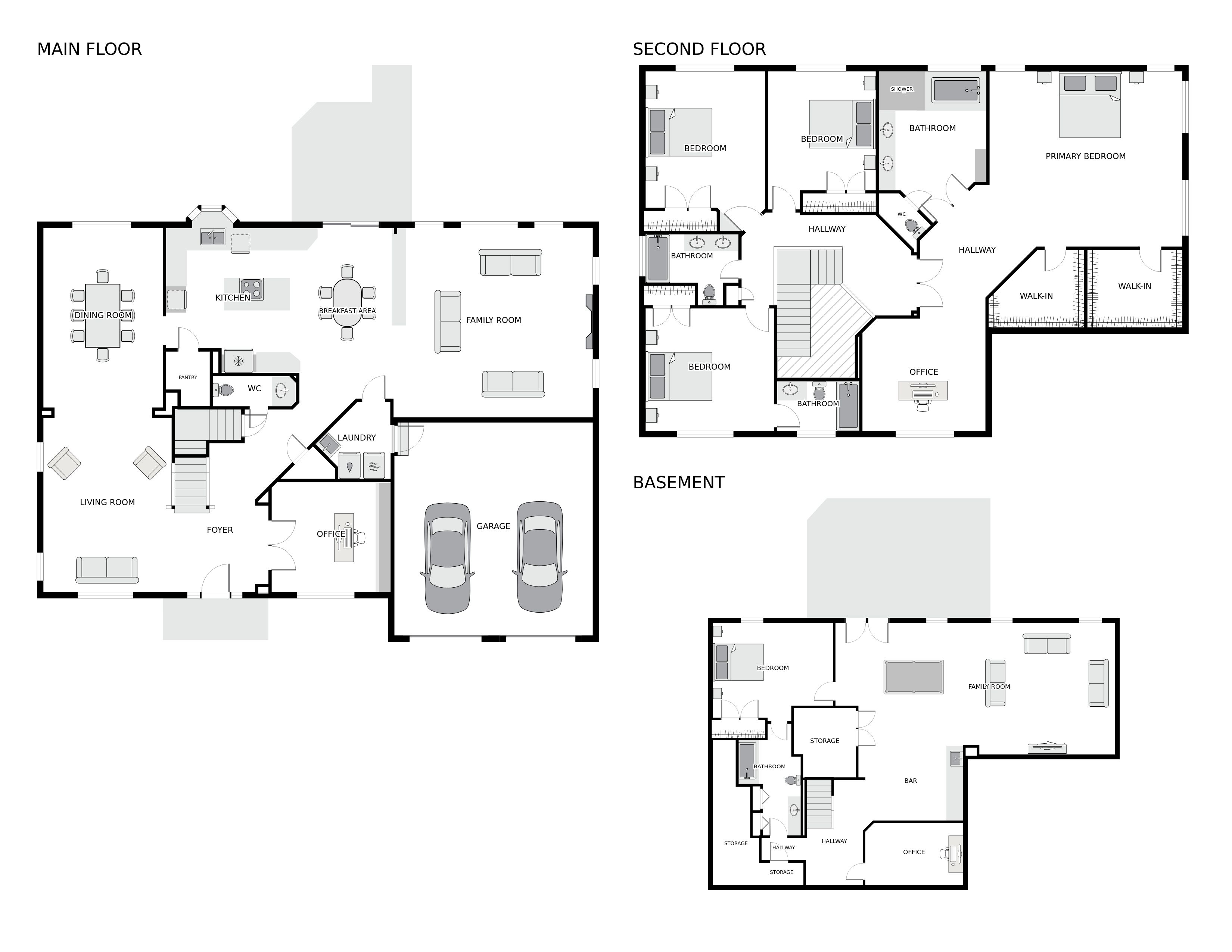
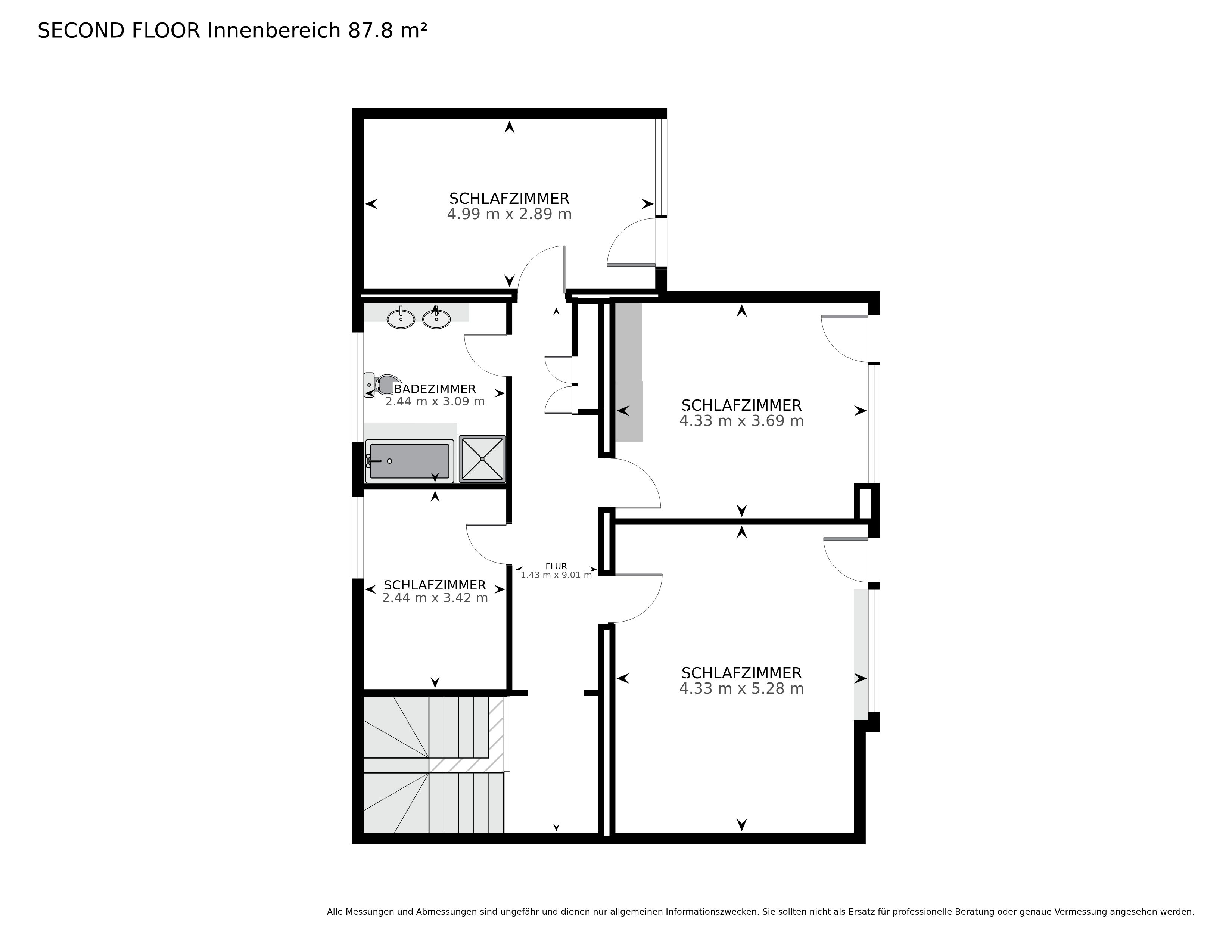
When the project started in 2020, the first floor plans where created by students moving
from one 360 photo (panos) to another and marking the intersection of walls and the
floor. Panos where positionned using a python script I wrote that was using openMVG.
OpenMVG was not developped for that task and works better with pictures that are closer
one to the other (or from a video as each frame is near the other). Still, using OpenMVG
meant that the majority of panos where correctly positionned. Other where moved and
rotated manually. The main objective was simply to have walls to prevent users
navigating trough them. However those were ugly as lines were not orthogonal.
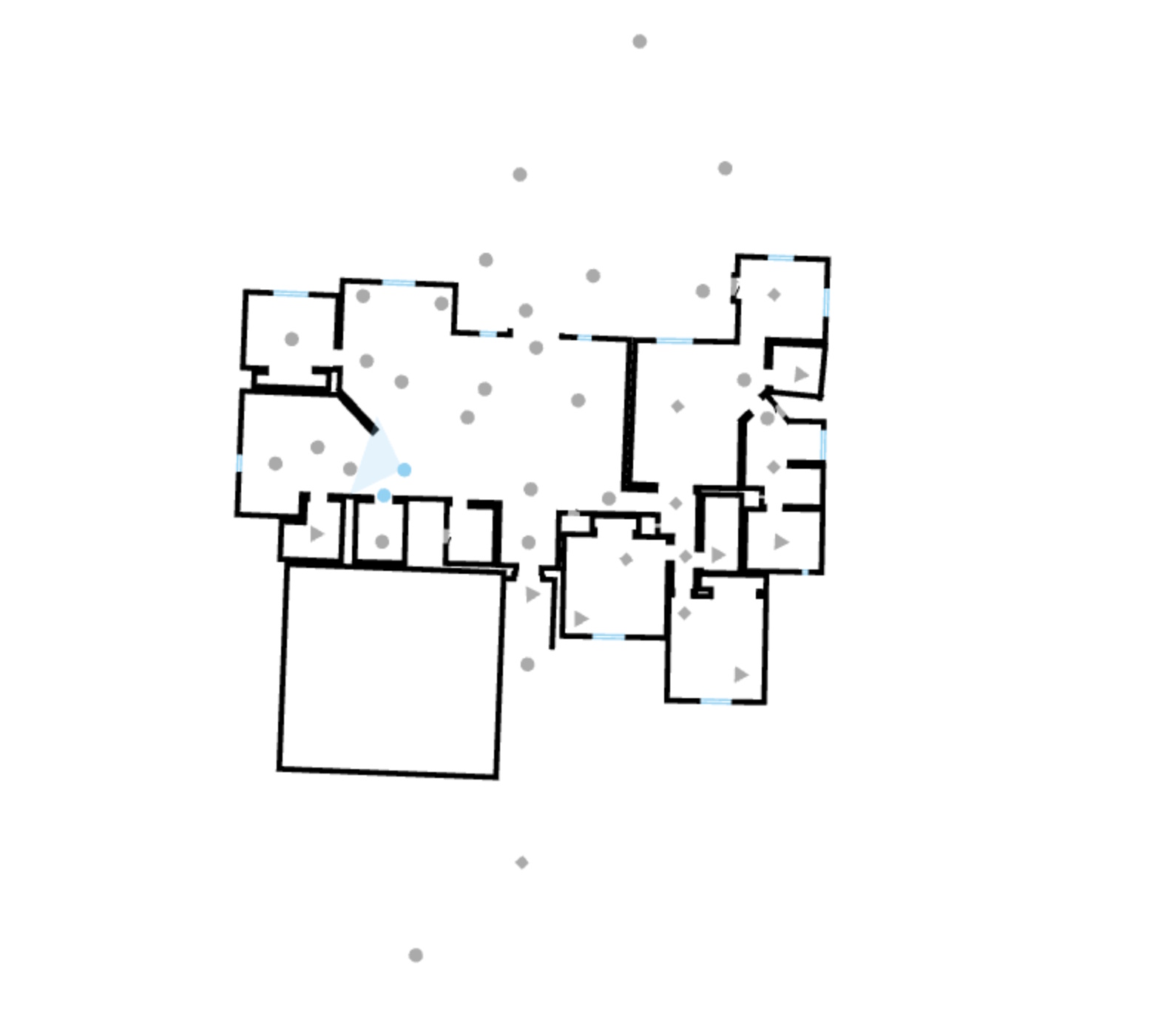
So the first thing I did was to force 90° angles (unless the user cliked shift on his
keybaord) to force othogonality. A nice improvement but far from enough: wall thickness
was not standardized, openings were not aligned, the floorplan itself it not orthogonal.
Using a specific line segment as the "based" allowed us to rotate all the elements but
the real challenge was to uniformize the wall thickness. Look back at the previous image
with a black background: Some walls have an outside and inside line while others have
only one line. I had to write a wall thickness uniformizer algorithm and it was a major
challenge.
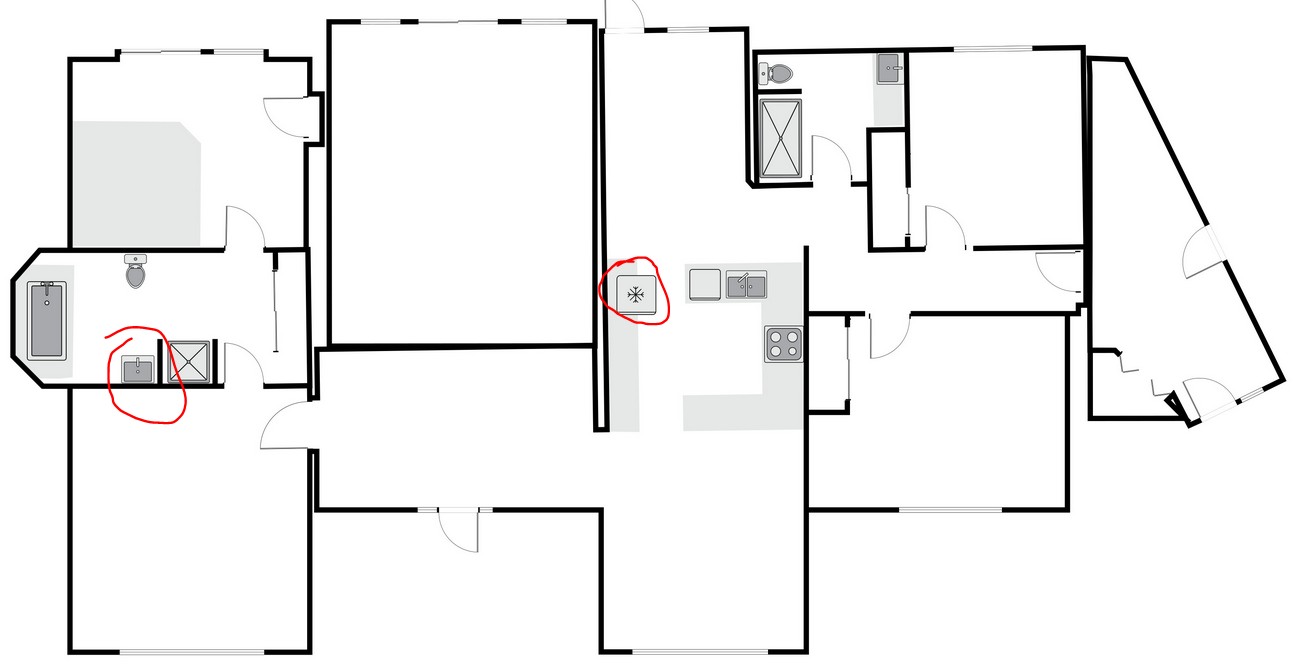
While I was working on it, my collegues started to add floor plan specific svg elements
such as sinks, toilets, oven, fridges, etc. However their first implementation was raw:
Modelers working too fast put sinks backward, forgot to rotate fridges, put them over
wall lines, etc. I enhanced it by adding a snap feature that not only position the
elements at the rigth distance to the wall but automatically rotates them depending on
the wall side and angle.
We where making real progress but a lot of things needed enhancements to reduce the
production time. Here is a list of some enhancements I did to acheive this:
Room name and area object
Before: Size and name had to be
set manually.
After: The user clicks in a room,
an algo finds the nearest walls in all cardinal directions to determine the size.
Once done we check if the resulting rectangle contains specific objects. It
contains an over? We name the room kitchen. It contains a bath or shower? We name
the room bathroom. etc.
Stairs
Before: No stair tools, modelers
needed to add individual rectangles
After: Stair creator tool allowing
strait I, L and U shapes
Later: Curved stair tool (which
also created meshes for the 3D model) that can also act as a curved wall creator
Doors
Before: Fixed size doors, users
needed to select size from a dropdown
After: Dynamic sized doors (and
other items)
Walls
Move all segments colinear wall segments at once.
3D Objects
Before: Individual cuboid only
After: Groups, Cylinders, copy,
rotate and move functions from the 2D map.
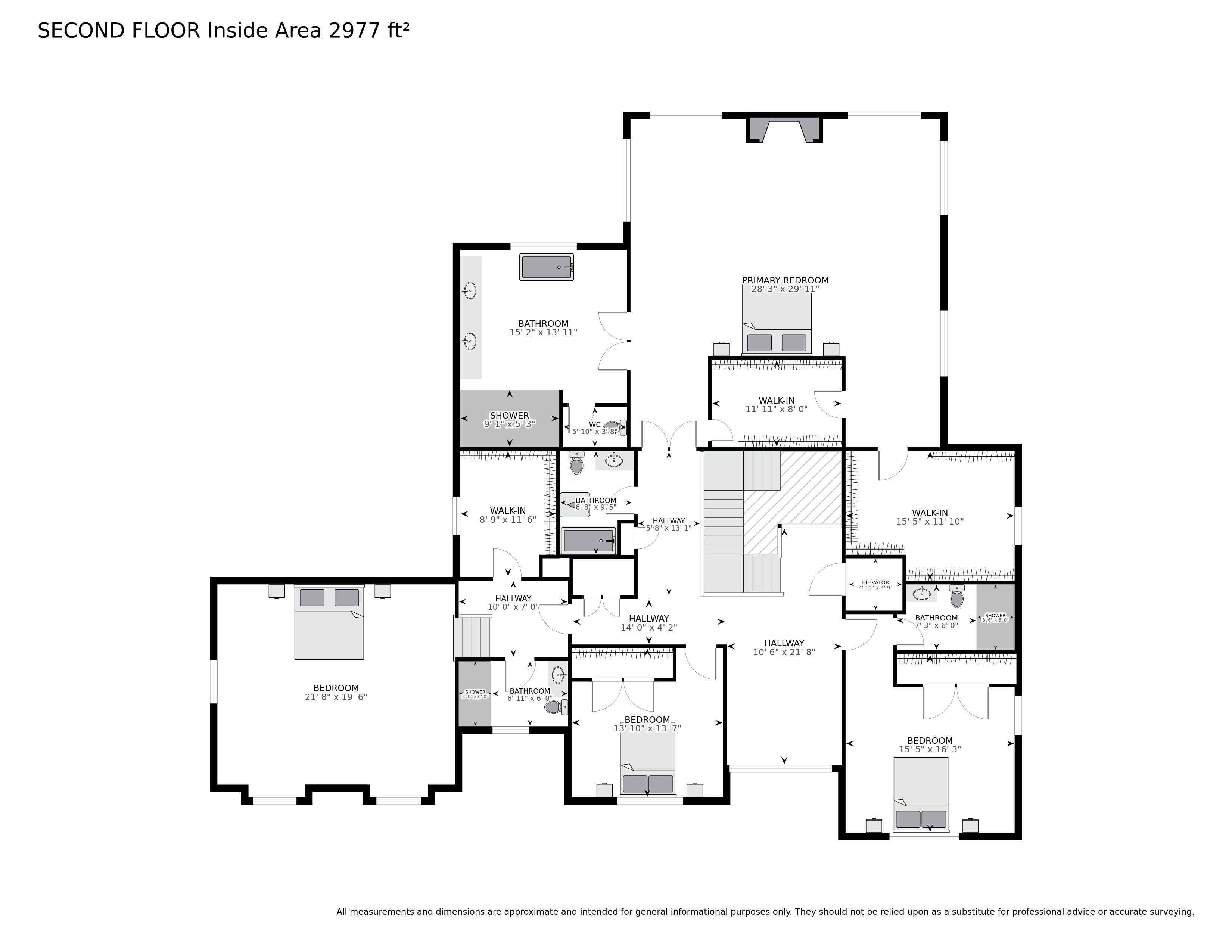
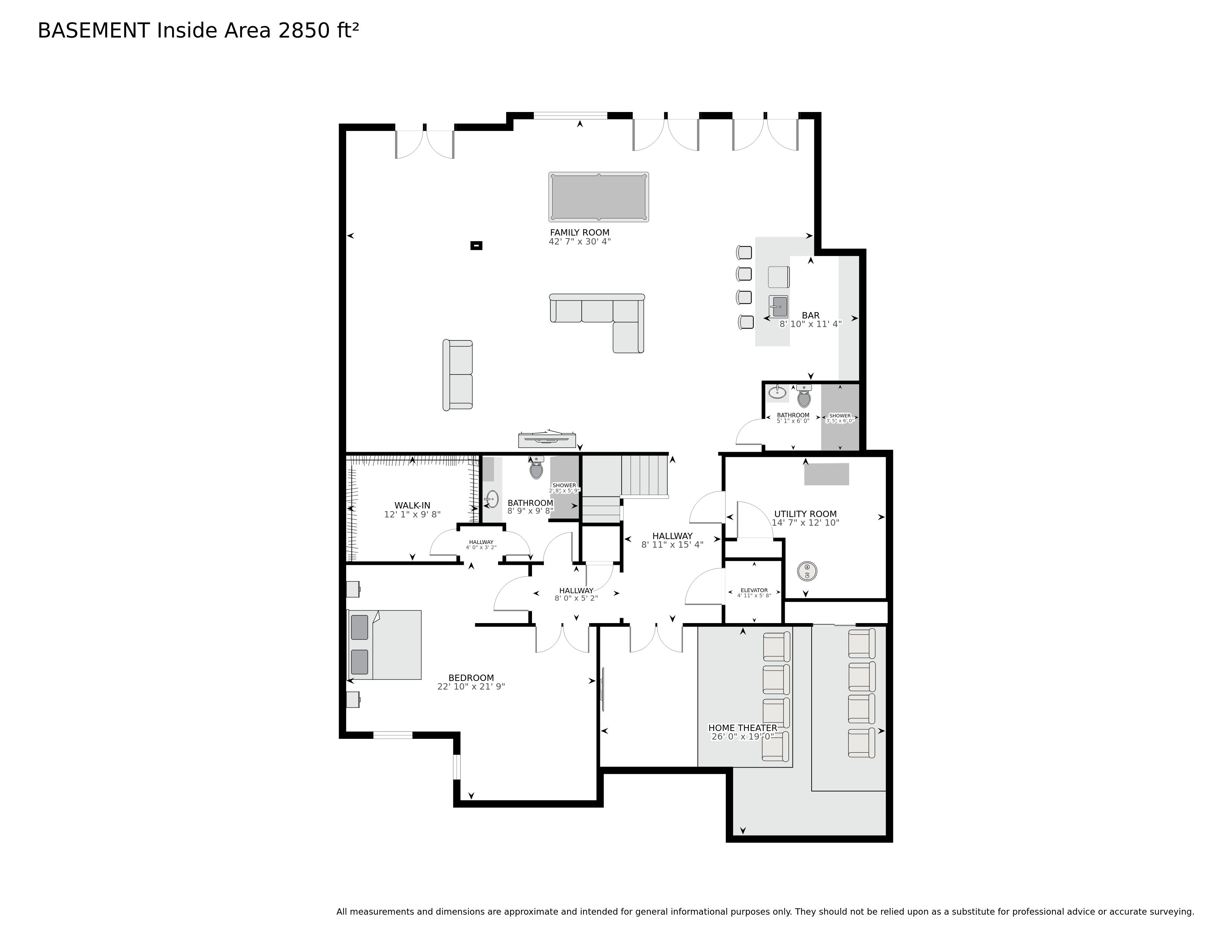
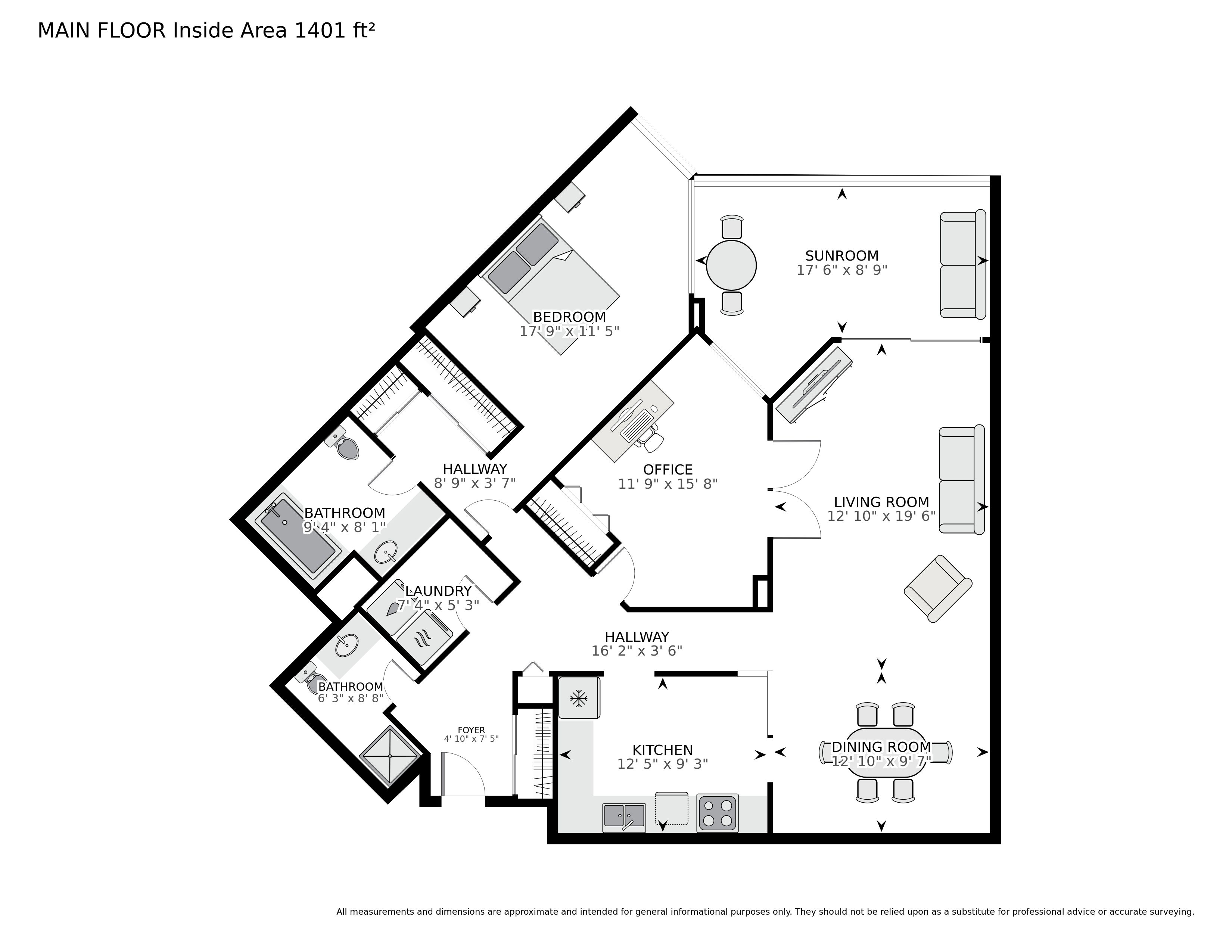
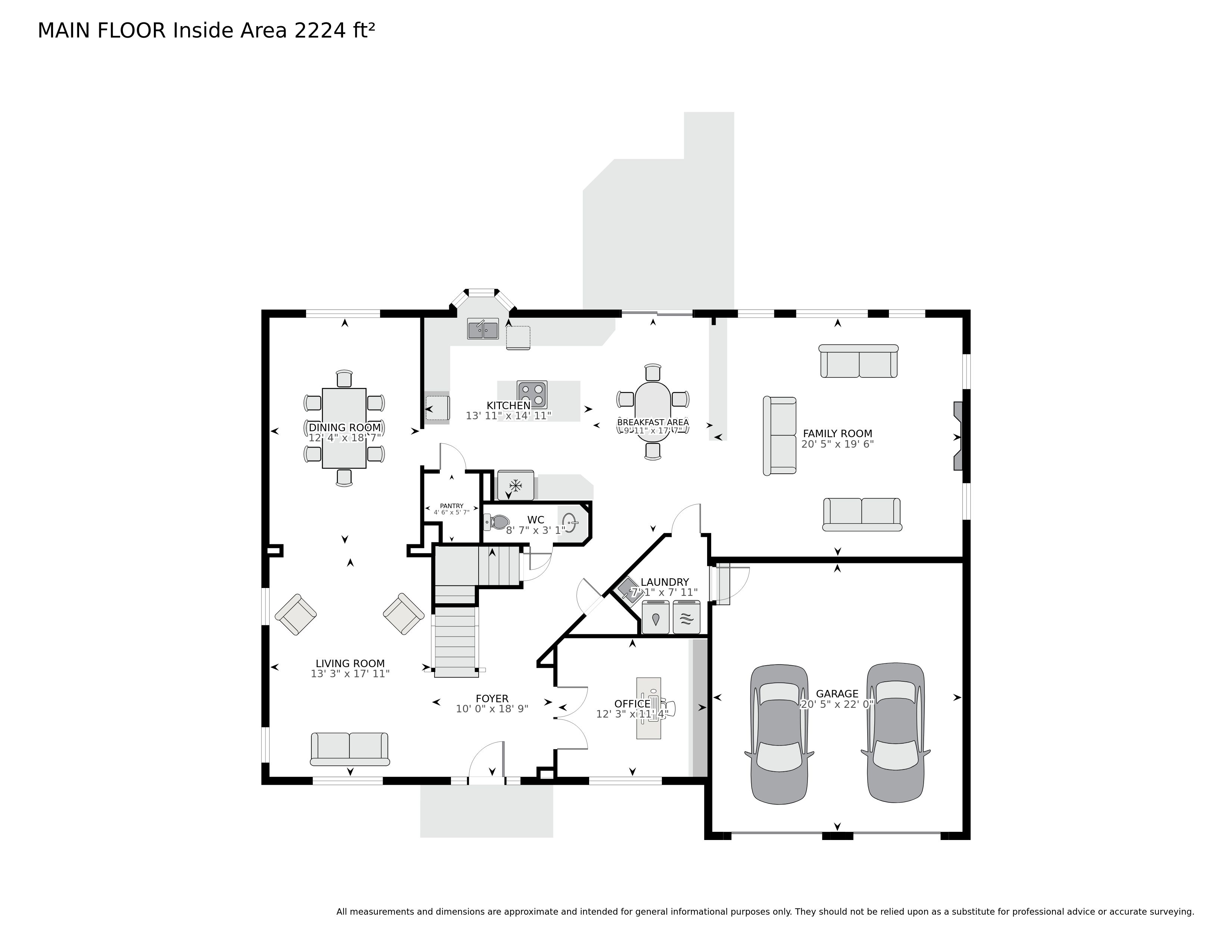
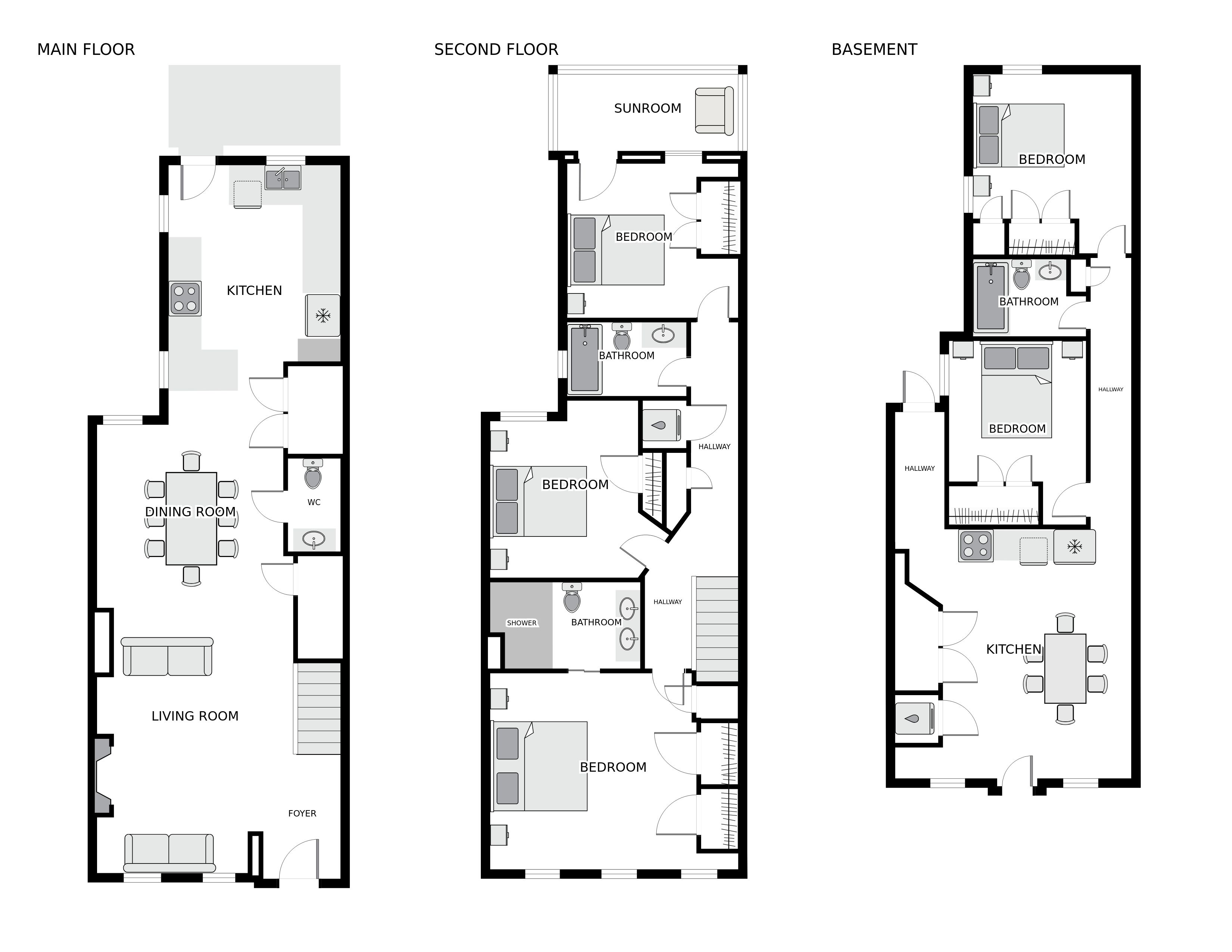
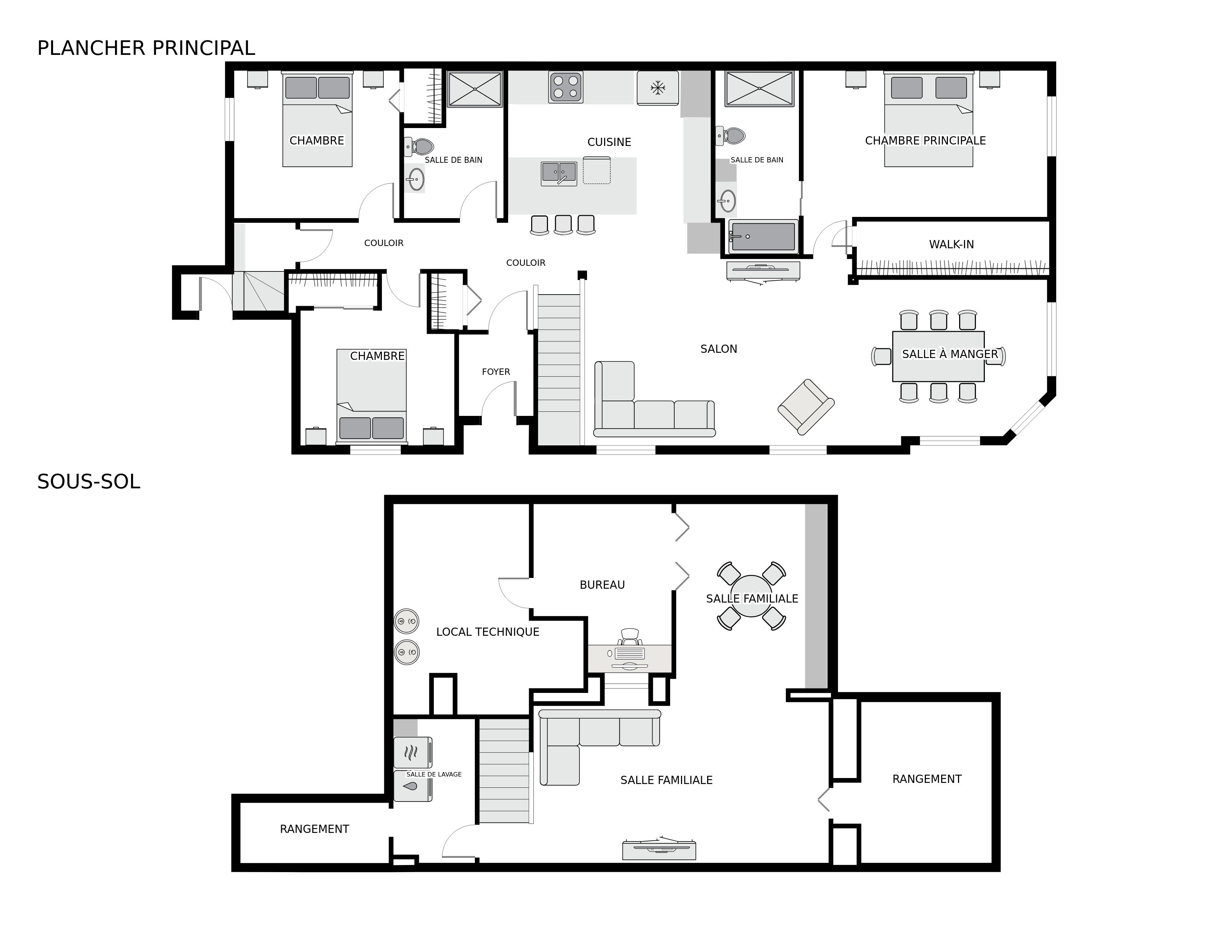
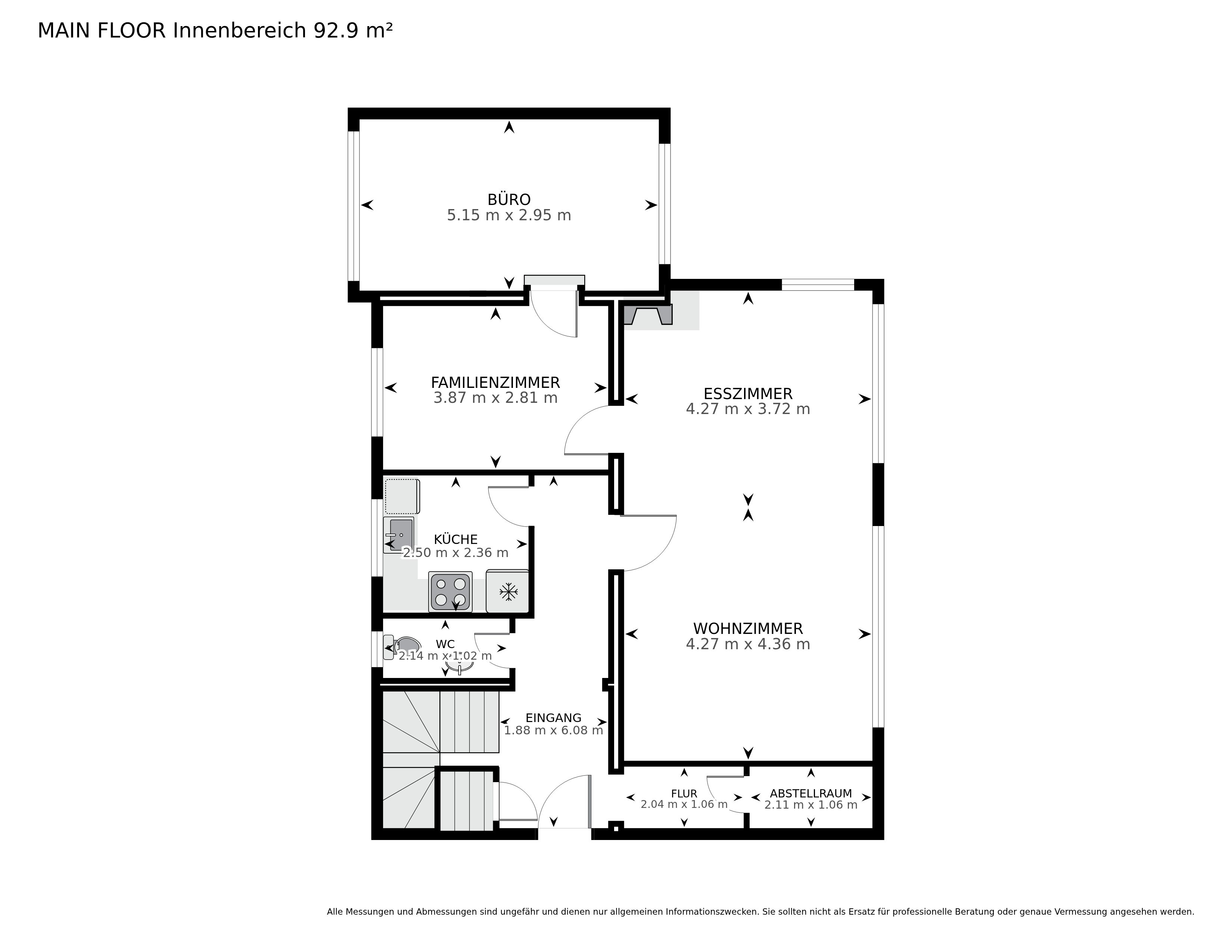
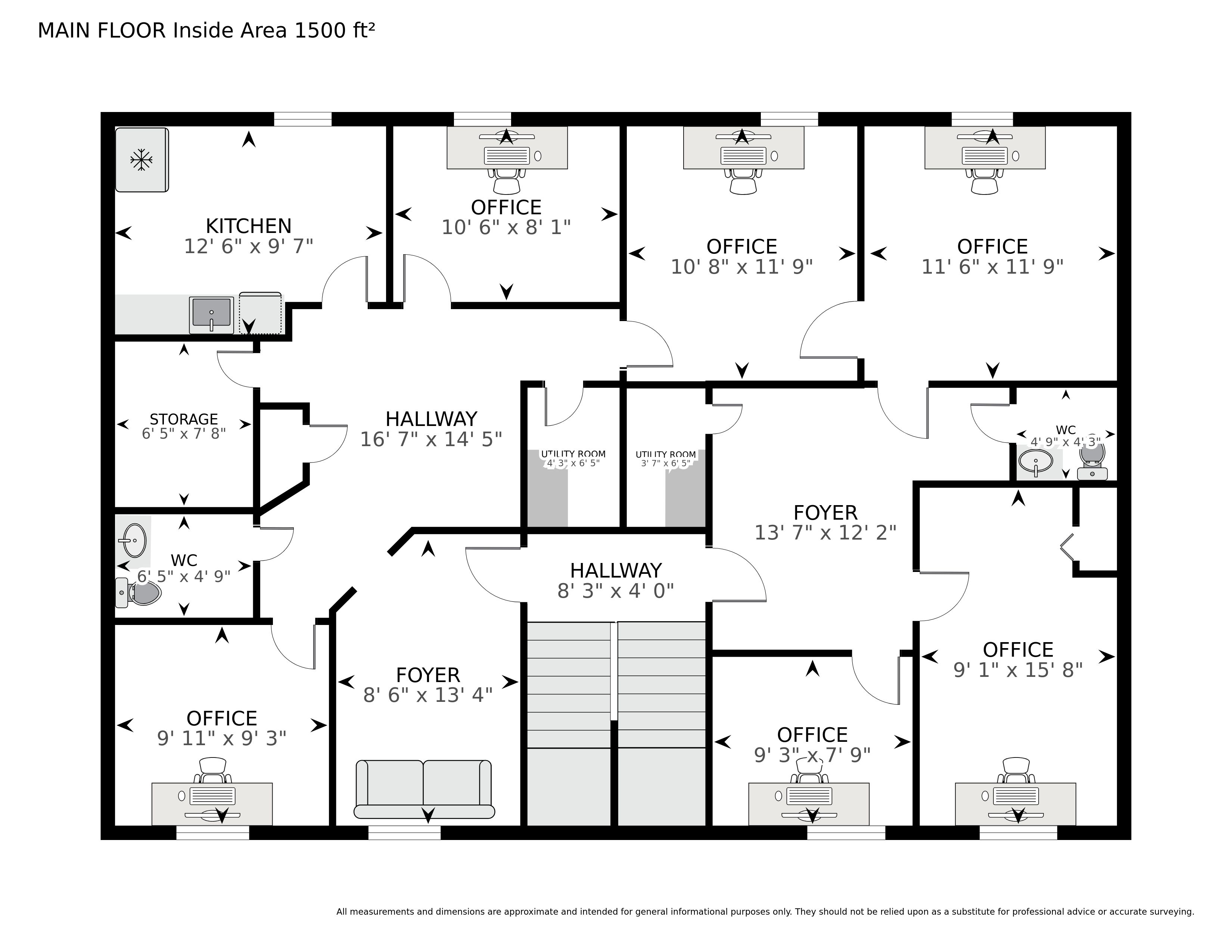
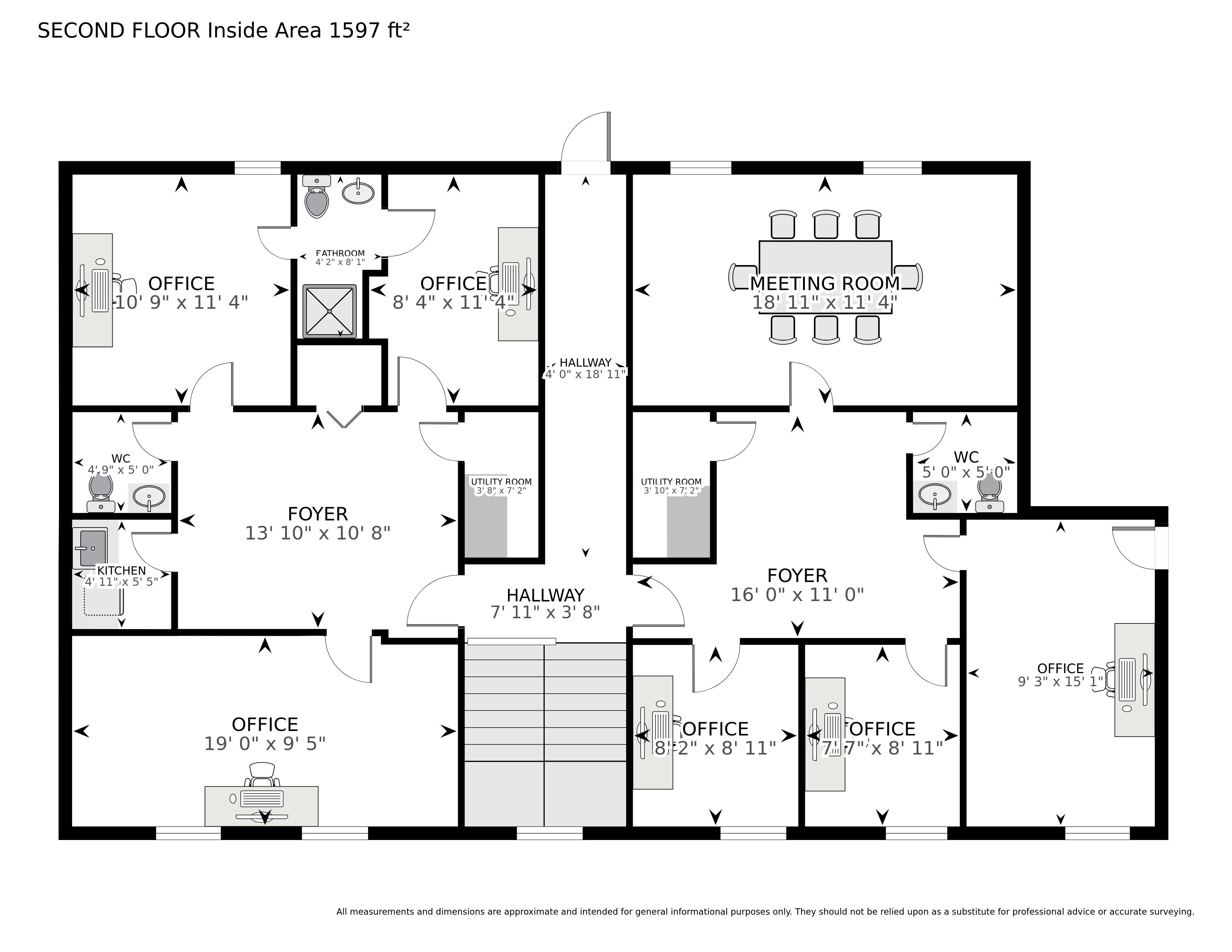
Final floor plan results gallery:
7. Back End (multiple apps)
I worked on multiple back end applications for the player.
Business Solution
This is an old PHP application using cakephp with a MySQL database. Photo agencies
are using it to run their business: they can manage their clients, orders, invoices,
etc. I worked a lot on it and I will add it to the projects section of this website
soon as it is a major project that I worked on for many years.
Production jobs management
I did maintenance and new features for the production jobs management system. It is
a PHP application talking to a MySQL database and a PostgreSQL database that allows
us to manage the different jobs that need to be done to create a tour, such as 3D
model generation, video processing, etc.
Virtual Tours (Tourbuzz)
This PHP applications allows photographers to create virtual tours for their
clients. It was the first platform from which you could order our 3D Tours. I did
maintenance and new features for this application.
New 3D Tour Platform
New platform built with NextJS, Prisma and PostgreSQL. I worked on the backend of
this platform, creating new features. More specifically, I worked on products,
subscription management and billing.